Discreet delivery & free shipping over $99.00
Knowledge: Login Help
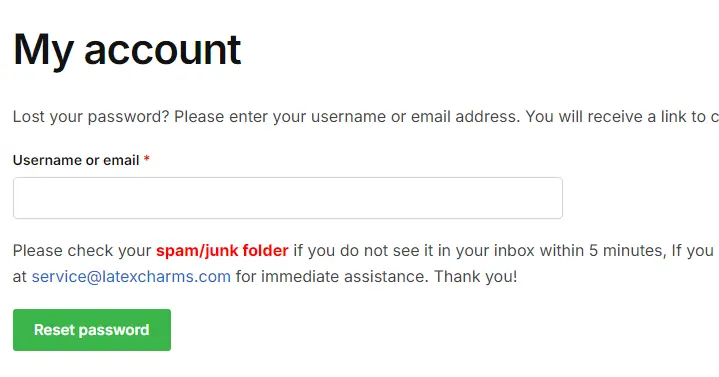
Step 1: Password reset
Go to the password reset page, enter your email address, and click the Reset password button, You will receive a password reset email
https://www.latexcharms.com/my-account/lost-password/
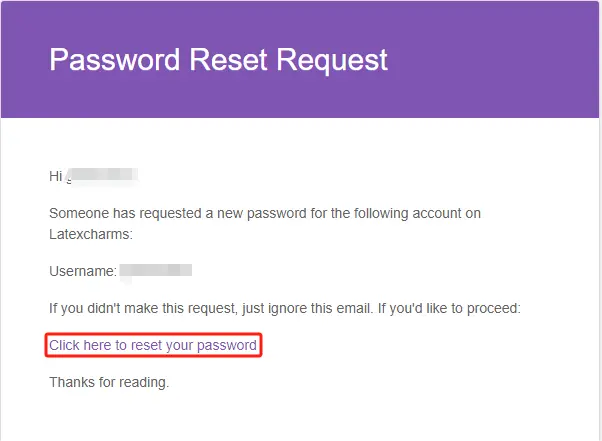
Step 2: Click the link in the email
For some reason, the email may go into your Spam/junk folder. If you don't see the password reset email in your inbox, please check your Spam/junk folder.
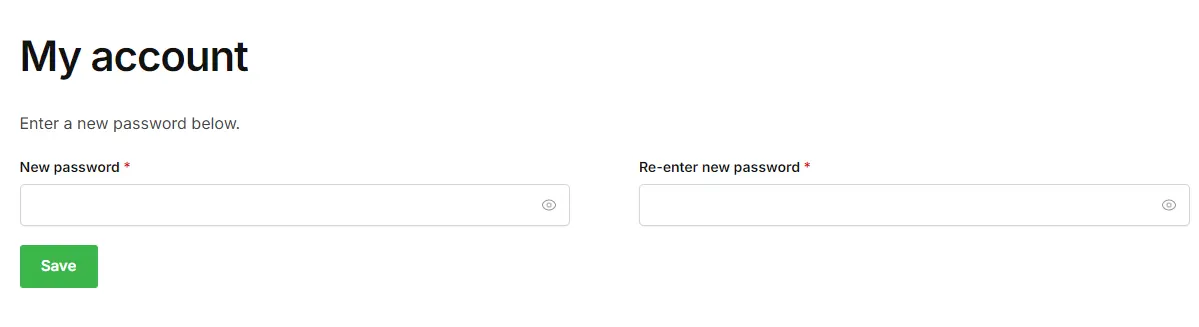
Step 3: Set your new password
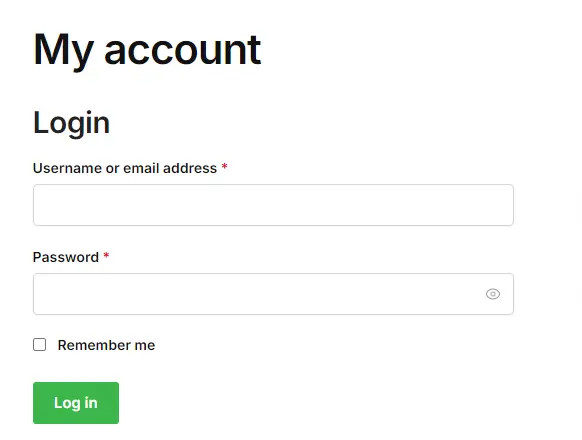
Step 4: Login in
Go to the login page and enter your email address and password to log in https://www.latexcharms.com/my-account/
If you still have login problems, please contact us (preferably take a screenshot so we can find the problem faster)